Can I skip to and start playing the next track while on Automix?
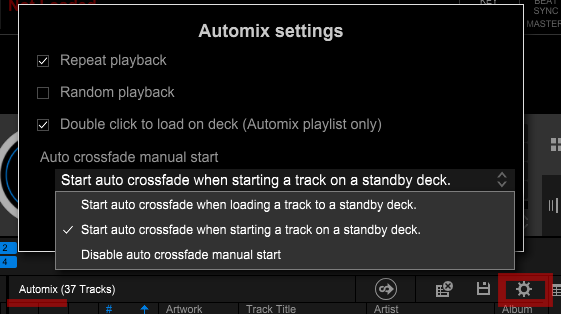
You can skip to the next track by performing the following in the [Automix settings] window.
- If [Auto crossfade manual start] is set to [Start auto crossfade when loading a track to a standby deck.]
Drag and drop the next track on the Automix playlist to a standby deck and load the track.
If the [Double click to load on deck (Automix playlist only)] checkbox is checked, you can also load a track by double-clicking it.
- If [Auto crossfade manual start] is set to [Start auto crossfade when starting a track on a standby deck.]
Press the Play button for the standby deck.
*Automix settings can be changed by clicking the top right button in the Automix window and making the changes in the [Automix settings] window.