
When using rekordbox on Windows, some playback such as YouTube works incorrectly.
Open [Control Panel] > [Hardware and Sound] > [Sound].
Sometimes normal playback disabled when the coneccted DJ equipment is selected as Default Device.
In this case, select Speakers, etc. as Default Device.
Please follow the steps below.
- Close rekordbox.
- Open [Control Panel] > [Hardware and Sound] > [Sound].
- Click the [Playback] tab in the [Sounds] panel to check what is selected as Default Device with a green check mark.
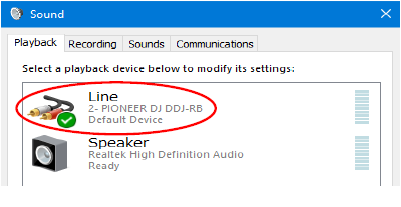
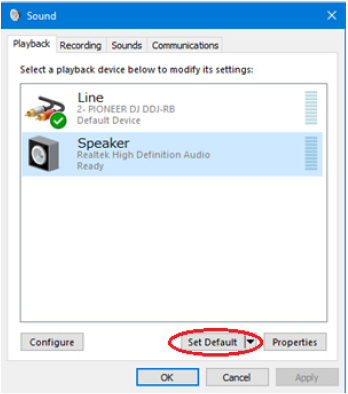
- Click a built-in device in your computer other than the connected DJ equipment and click [Set Default].
The selected device is now the Default Device and the green tick icon is displayed on it.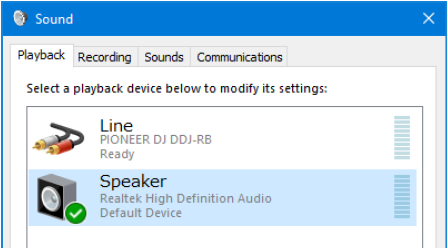
- Close the Sound dialog box and the Control Panel window.
- Relaunch rekordbox.
