
I cannot turn on the video function at [Preferences] > [Video].
When you select [Low Speed] at [Preferences] > [View] > [Waveform] > [Waveform Drawing Rate], the video function will be disabled and [Enable Video Function] will be grayed out at [Preferences] > [View].
If [Low Speed] is selected at [View] > [Waveform] > [Waveform Drawing Rate],
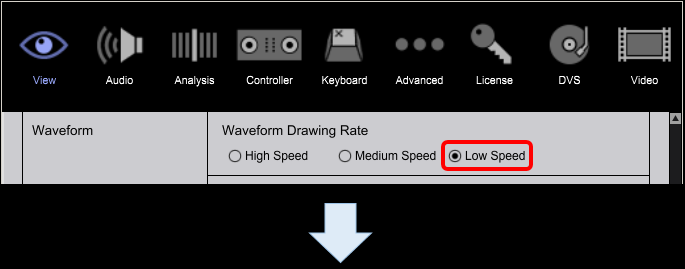
[Enable Video Function] at [Preferences] > [View] is grayed out.
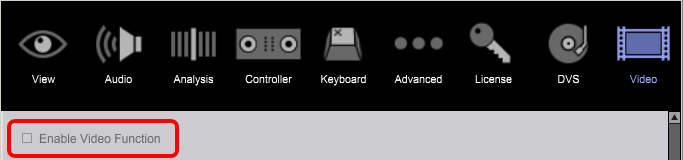
Follow the steps below to enable the video function.
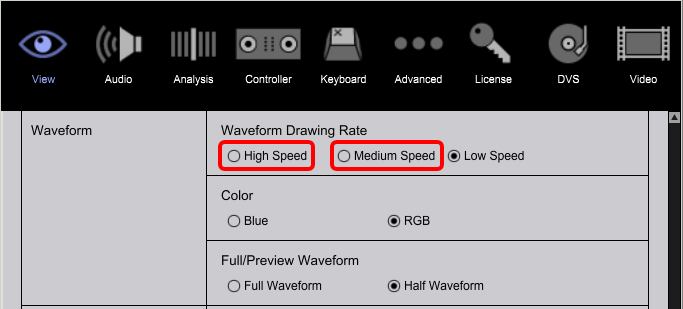
- 1. Open [Preferences] > [View] > [Waveform] > [Waveform Drawing Rate] and select [High Speed] or [Medium Speed].
- Open [Preferences] > [Video] and tick [Enable Video Function].
- Relaunch rekordbox.
- You can use the video function now.
