
No sound comes out from the PC speaker even though PC MASTER OUT is turned on. (Windows)
Check the sound setting on the computer by following the instructions below.
(1) Connect the DDJ-400 to the computer.
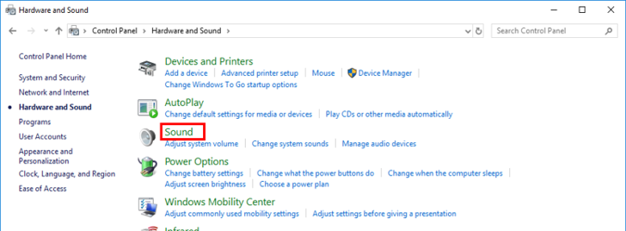
Open [Control Panel] - [Hardware and Sound] and click [Sound].
(2) Check the sound setting.
If the DDJ-400 is selected as default device, click a sound device other than the DDJ-400.
Click [Set as Default].
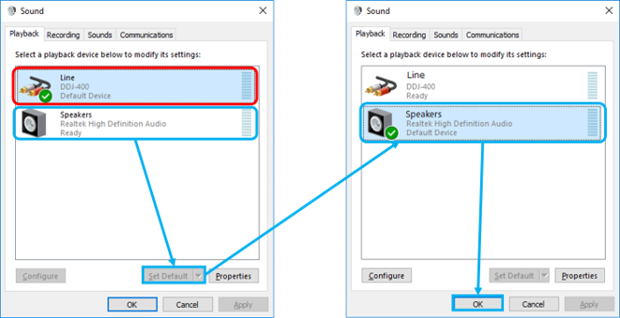
(3) Close the Control Panel. See if you can change the volume of the computer speaker.
